Hueshift Tutorial <33

Posted on: Sep 17, 2020
About 5 years ago
585
45
7
READ IT ALL PLEASE <3 IT'LL HELP-

Okay so i'm gonna teach a bit about hue-shifting today!

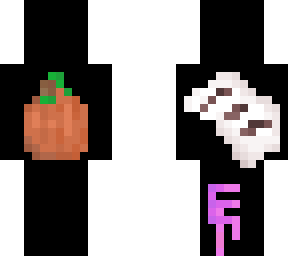
IMPORTANT: See how the backside is empty? thats because it's where I want you to practice!

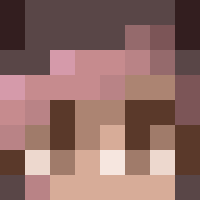
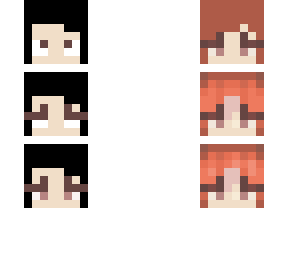
So step 1. On the head, choose 4 colors, any color you'd like. Put them in order just like I did ^^

2. Put the colors down vertically on the left arm like
I did.

3. now, you wanna take the little white circle on the color wheel and move it to the side you think would look better as a color! (in my opinion blue and pink is the easiest to hueshift) Once you have moved the circle, SLIGHTLY make it darker or lighrer. DONT USE THE LIGHT/DARK TOOL THOSE ARE NOT COOL- It looks x10 better if you pick the colors by your hand!

4. Practice! You can use the colorpicker and look at my examples <3 Try going darker! Or lighter!

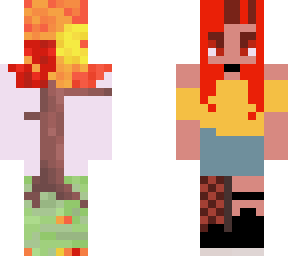
Then, on the legs try making a skin design using all your colors and hueshifts

I was lazy so I made it all rainbow and crazy

I wanna see! LINK IT BELOW AND TAG IT WITH ELEHUESHIFT <3
Show More
Show Less

advertisement

Upload Download

Embed codes


Similar skins

Comments: 62

hello, i'm learning and i really like this tutorial, thank you for sharing
Thanks! This helpeda lot! (I didnt post it tho-)
Thank you! This really helped! It's really hard to hue shift for me because I make skins on my phone, but I'm getting a laptop, so maybe I can try this out
:)
let me know how it works out <3
Thank you! This really helped! It's really hard to hue shift for me because I make skins on my phone, but I'm getting a laptop, so maybe I can try this out
:)
ooh

glad to see it works :D

<33
I use the darken and lighten tool a lot only because I'm on my tablet a ton and i uh, have a really unsteady hand.
I do it all the time
It actually helps me a ton
ooh

glad to see it works :D

<33
other tip if your trying to make something just a little darker or ligther press z to make it a little darker and x to make it a little lighter
i see o.o

I prefer hand-picking the colors to add a little bit more of a pop, but this is a great tip for the minor colors
This is mine! <3

Sorry I didnt do very well with the patterns
https://www.minecraftskins.com/skin/15755404/hue-shifting-practice---3/
thank you <3
other tip if your trying to make something just a little darker or ligther press z to make it a little darker and x to make it a little lighter
I do it all the time
It actually helps me a ton
other tip if your trying to make something just a little darker or ligther press z to make it a little darker and x to make it a little lighter