


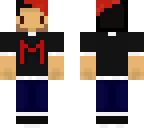
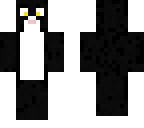
Markiplier
Posted on: Oct 05, 2016
About 9 years ago
0
238
31
0
Show More
Show Less

Similar skins
GermanShepardMusic
1: Pulse carga de Minecraft ~ ~ 2: Pulse cambio de piel ~ ~ 3: Abrir Minecraft ~ ~ 4: Haga clic en el juego ~ ~ 5: Espere a que cargue ~ ~ 6: Ir en un mundo ~ ~ 7: Pulse Escape (Esc ) ~ ~ 8: haga clic en Opciones ~ ~ 9: Ir a la personalización de la piel ... ~ ~ 10: haga clic en todos ellos, asegúrese de the're todo apagado (con cheque el sombrero) y luego usted está ******* y listo para una buen baño o la ducha! Disfruta.
GermanShepardMusic
1:Press upload to minecraft ~ ~ 2:Press change skin ~ ~ 3:Open Minecraft ~ ~ 4:Click play ~ ~ 5:Wait for it to load ~ ~ 6:Go in a world ~ ~ 7:Press escape(Esc) ~ ~ 8:Click Options ~ ~ 9:Go to Skin Customization... ~ ~ 10:Click all of them, make sure the're all off (Accept for the hat) and then you're ***** and ready for a nice bath or shower! Enjoy.
Downloading in 10
Advertisement


Give a thumbs up to show support for the creator. It means a lot!
Comments: 2