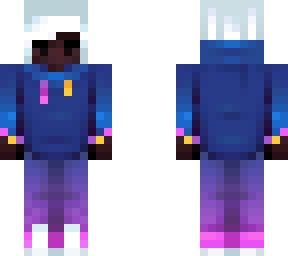
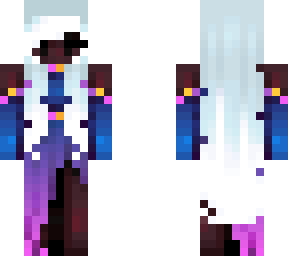
Annihilate

Posted on: Feb 01, 2026
About 4 months ago
11376
3881
39
Hi

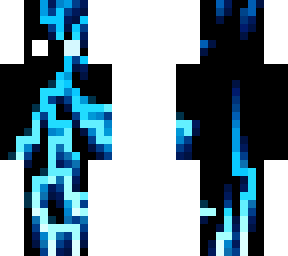
Annihilate . Metro Boomin, Swae Lee, Lil Wayne, Offset

Trying this kind of skin bc ppl rly like them and they look cool :P
So let's see how this does


is it just me or does the image link look cool-

- GlitchPro
Show More
Show Less

advertisement

Upload Download

Embed codes


Similar skins

Comments: 50

3k!
Thanks for the reply it's really helpful, and by lightning I meant how did you decide the.. let me call them "branches" not sure if that's the right word, yeah so.. did you just do it randomly or did you have something to base it of like a picture or any other pixel art?
Ofc! Glad it was helpful!

Ahhhhh yeah I jus know skins with like cool effects and lightning and glitches and stuff get a HUGE number of downloads, and I AM GlitchPro, so I thought it was fitting to make a skin like this haha. It was super fun!
1. I used one blue then hueshifted darker, I think? Another way to do it though is to start with a really saturated, bright color and then use the opacity on PMC to get more and more faded

2. Sorry I’m rly slow, what do you mean by lighting lol?

3. I started with the skin all black, then I did the lightning and shading completely on the first layer. Then I realized I wanted effects underneath the lightning, so I just copied the lightning onto the second layer and traced over the version on the bottom layer with white. Then for extra depth I did some translucent shading on the outer layer, but only minimally. I hope that’s what u were asking for lol
Thanks for the reply it's really helpful, and by lightning I meant how did you decide the.. let me call them "branches" not sure if that's the right word, yeah so.. did you just do it randomly or did you have something to base it of like a picture or any other pixel art?
I got a few questions:

First: did you just use one blue and then make it brighter/darker or did you use different blue tones?

second: how did you do the do the lighting?

third: did you first do a full white lightning and then do a second layer on top? If yes did you do the lighting only on the first layer?
1. I used one blue then hueshifted darker, I think? Another way to do it though is to start with a really saturated, bright color and then use the opacity on PMC to get more and more faded

2. Sorry I’m rly slow, what do you mean by lighting lol?

3. I started with the skin all black, then I did the lightning and shading completely on the first layer. Then I realized I wanted effects underneath the lightning, so I just copied the lightning onto the second layer and traced over the version on the bottom layer with white. Then for extra depth I did some translucent shading on the outer layer, but only minimally. I hope that’s what u were asking for lol
I got a few questions:

First: did you just use one blue and then make it brighter/darker or did you use different blue tones?

second: how did you do the do the lighting?

third: did you first do a full white lightning and then do a second layer on top? If yes did you do the lighting only on the first layer?
Thanks ^^
:oo cool!
Coo. I also decided to add it to my wardrobe.
Noice
Thanks! Heh i love blue as well, it’s my favorite colorrrrrr.
Coo. I also decided to add it to my wardrobe.
Love it. Also cuz I luv blue. You can kinda tell just look at my profile. Good job tho . :)
Thanks! Heh i love blue as well, it’s my favorite colorrrrrr.