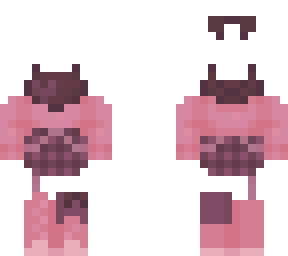
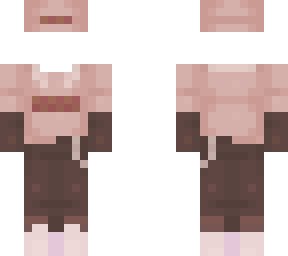
- glitch tutorial -

Posted on: Nov 10, 2023
About 2 years ago
858
170
13
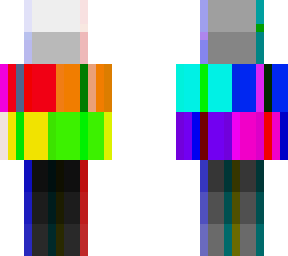
this is a small tutorial on how I glitch my skins :)

- it is definitely an annoyingly long process to make sure all the lines match up properly. I mostly just use a lot of complimentary colors and see what looks more realistic-

- even looking up images of "glitch effect" actually can help! some images show colors in relations to other colors and could give a better example on what to do then I ever could xD

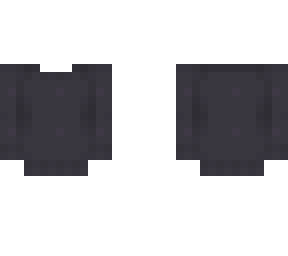
- for white/black, I usually use bright blues, reds and yellows. here I left it simple and tried not to overdo it so you guys could see what the original colors were xD

- I usually prefer using the dark cyan and dark yellow line colors as a default if I don't know what colors to use in a certain spot, it can help things look more convincing-

- another thing is it's totally okay to get messy! here I tried not to go over corners to different surfaces (such as the edge between arms and torso) but it's a lot better if your chaotic lines go over surfaces to look less even and more messy. doing it as you go is the best way! blending two colors works a bit too :D

hopefully this might help some of y'all out :)

enjoy :) - meg

collection tags: megamii, megsbases
Show More
Show Less

advertisement

Upload Download

Embed codes


Similar skins

Comments: 7

That’s so good!! I love honestly u shud make more glitch skins <333
yeah I will be soon lol
glitch approved
nothing left to say
lol
glitch approved
nothing left to say
That’s so good!! I love honestly u shud make more glitch skins <333
Ur actually amazing.
tysm!!
oh and I do have some examples among my own skins :)

here's a good example: https://www.minecraftskins.com/skin/22087059/--lost-in-the-game--/

this tutorial is also a good reason why I don't do glitch neon skins LMAO I don't know how to do it