. E x p o s i n g M y s e l f . : {

Posted on: Jul 09, 2023
About 2 years ago
521
146
2
. S h o w M o r e .
<><><>
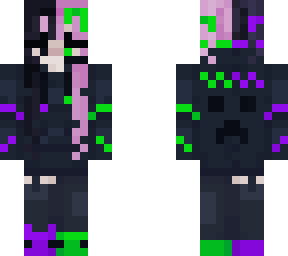
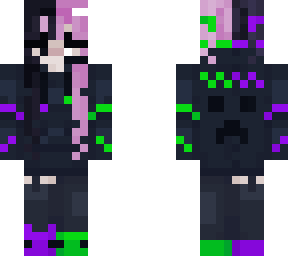
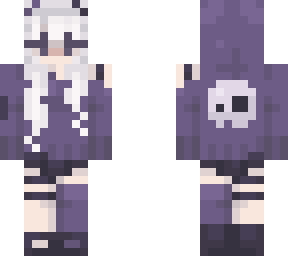
hi, so youre probably wondering, what? what do you mean by this? and yeah, so it's my shading technique ...

so im kinda not the most productive person and have some trouble doing things. and i see all these people on skindex making these amazing skins with all these amazing hues, colors, and shades. I'd love to do that too but am unmotivated.
so to still be able to get skins out for you all i use the 'darken' and 'lighten' color tools for shading and no fun slight changes in color.
* just know that these tools are there to help you (dont feel ashamed if you use them) but i would like to move from just using that
also some may have noticed i dont do the full skin on some skins, especially for reshades - bc of this

id love to 1 day find motivation to do better shading with nicer colors and transitions but for now im doing this to try to get more done quicker. hope you dont hate me for this :)
<><><>
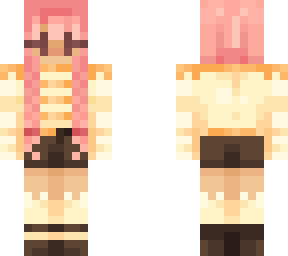
also i have more recently been doing some ombre shading in hair which takes me sooo long to do, but hopefully the more i do it the better ill get and may do it for shading an entire skin!
<><><>
ok well thanks for reading,
have an amazing day/night!
lysm <3
Show More
Show Less

advertisement

Upload Download

Embed codes


Similar skins

Comments: 11

I know how to shade and i use only 3 tools, lighting/shading and the third from the guy on the screen (the thing that makes the first arm look like the other while drawing)
oh, yeah the mirror tool. it's at the bottom and looks like the skin base thing just click it for it to turn on
I know how to shade and i use only 3 tools, lighting/shading and the third from the guy on the screen (the thing that makes the first arm look like the other while drawing)
the mirror tool

so you dont use the color picker tool.. tough life T-T
I know how to shade and i use only 3 tools, lighting/shading and the third from the guy on the screen (the thing that makes the first arm look like the other while drawing)
how do i find the tools
when editing and making skins on skindex, on the side there are tools and two of them can change shade of your color
how do i find the tools
i dont know how to find those tools you talk about most my skins it takes hours for the shading i slightly do.
thank you <3
i know how and what to do, i just am not motivated enough to do it XD
oof xD
ok first of all!
there is nothing wrong with using the darken/lighten color tool, i admit that i too use it often but usually i darken it and then hueshift a little to make it more warm or leaning towards a certain color

second of all, if youre working on hueshifting and gradients, coolors can be very helpful- ik its a palette generator but you can also use it to make gradients by replacing two of the generated colors with the ones you want to shade together and then removing all the other colors.
Then add as many colors as you want between the two colors and it will make a nice blending of them.
thank you <3
i know how and what to do, i just am not motivated enough to do it XD
ok first of all!
there is nothing wrong with using the darken/lighten color tool, i admit that i too use it often but usually i darken it and then hueshift a little to make it more warm or leaning towards a certain color

second of all, if youre working on hueshifting and gradients, coolors can be very helpful- ik its a palette generator but you can also use it to make gradients by replacing two of the generated colors with the ones you want to shade together and then removing all the other colors.
Then add as many colors as you want between the two colors and it will make a nice blending of them.