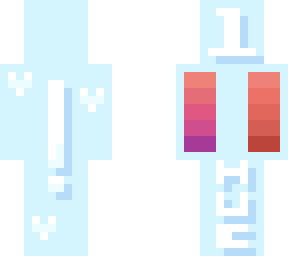
hueshifting : tutorial #1

Posted on: Jun 06, 2023
About 3 years ago
73
19
5
show more please!
i may give more info in comments :)

: tricks and differences :
most of the people who make skins have tried out various different tools. these include the mirror, bucket tool, and the thingy that makes colors lighter, or darker.

this tool is a helpful beginner tool, but once you begin to become familiar with skinning techniques, you might notice that your colors look desaturated.

you can still use this tool in hueshifting, although personally i would recommend moving your color picker a little bit towards the gray side of the pallete when shading.

: how do you do it?? :
to hueshift, move the color picker to a darker shade, then move the dial on the outside of the color wheel towards the designated hueshifted color of what youre trying to shade.

heres some examples to help you out:
red -> purple (as shown on the skin)
orange -> red
yellow -> orange
green -> blue
blue -> purple
purple -> blue
pink -> purple

: the skin :
on the back left of the skin, a hueshifted palette is shown. on the right, un-hueshifted.

ask in the comments if youd like anything specified because i am a terrible teacher <3

~ monster :3
Show More
Show Less

advertisement

Upload Download

Embed codes


Similar skins

thetutorialmonster's other uploads

No results found

Comments: 0