


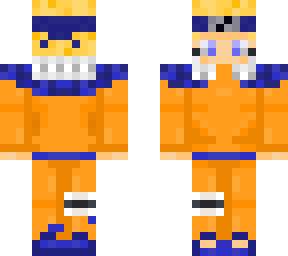
Naruto
Posted on: Nov 03, 2021
About 4 years ago
2
204
142
0
Show More
Show Less

Similar skins
sena168
I can help you do it for free... in my spare time if you want. please comment on my skin if you're interested...
sena168
it takes time, but I think might be better then remaking all of those... nice naruto skin by the way... I think I'll download it
sena168
I also did the same mistake when I make my first skin. I painted all in the outer layer, and also backward front... but I found a way to fix it... first you download it to your pc, and use "paint" (or other pic editor). first make a backup file with a different name, then in paint try to find out which part of the png picture that is the front part, and which one is the back part. then just copy the front part and paste on the back part. then paste the back part from the backup file. after that you can use the editor in skindex to mark all the outer lines of the the "body" layer (example: all outer layer of faces) with a color. then download it again and do the same edit with paint. this time paste all the part to corresponding empty part. reupload in skindex then delete from outer layer
Downloading in 10
Advertisement


Give a thumbs up to show support for the creator. It means a lot!
Comments: 3