Shading example - For nothing32

Posted on: May 19, 2020
About 6 years ago
125
48
0
Please credit me if you use this, Thank you!

Hey! So i hate to see people struggling for followers, I know exactly how it feels. It's so annoying when you spend an hour on a skin or base and people don't like it. So i made this! I would normally post this on my bases account, But i have made an acception just this once.

More in the comment's, (cause i am running out of space. xD)
Show More
Show Less

advertisement

Upload Download

Embed codes


Similar skins

Comments: 7

Oh, You can comment now lol-
Ah, One thing i forgot, Is if you want to add some detail to you're hair or skin, Press outer layer again so you can add a little pop or roundness to the head or hair, Bye!
Hope this help's any of you skinners needing that little nudge before you can spread you're wings and fly!

That's all for now, Bye beautiful's!
So, With a little bit of that out of the way, Here is some advice!

1- Before starting a skin, ALWAYS make sure to press the outer layer button, it is located on the right in the middle of the screen.
2- Before posting a skin, Use the mouse to rotate around it and check for flaws, (missing shading for example.) Then, When you have done that, There is a little figure of the minecraft body below the outer layer button, Click one or more of the limbs, And don't forget to fill that in! Cont-
Once you are done, Click the limbs again so they re-appear, Try not to miss anything!
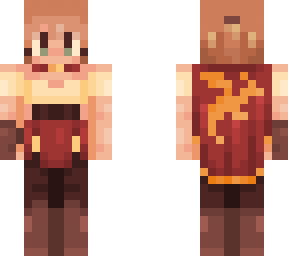
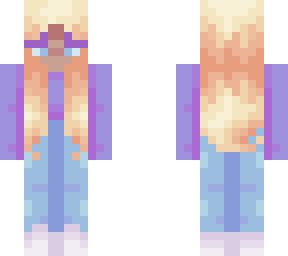
3- One of my pet peeves for skinning, Is when people make strange hair shapes, When shading and making hair, Think about how you're hair flows in real life, The light doesn't always reflect of the middle, it could reflect of the bottom, Or the top of the head, And same with the darker spots to (more on that in my hair example)
So, With a little bit of that out of the way, Here is some advice!

1- Before starting a skin, ALWAYS make sure to press the outer layer button, it is located on the right in the middle of the screen.
2- Before posting a skin, Use the mouse to rotate around it and check for flaws, (missing shading for example.) Then, When you have done that, There is a little figure of the minecraft body below the outer layer button, Click one or more of the limbs, And don't forget to fill that in! Cont-
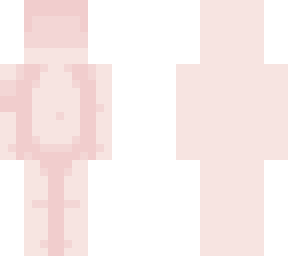
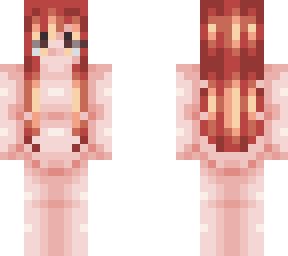
Okay, So on the left arm is the palette i used to shade the skin, As you can see, The front of the skin is shaded, And the back of the skin is not. Just so we can compare it. The front is my favourite, But i won't judge anyone who likes the back! This is just a little bit of a taster of how i shade my skins, (Look at some of my skin bases to see how i shade it fully)
Please don't comment until i say 'You can comment now'