


BASE

Posted on: Oct 01, 2017
About 8 years ago
0
204
41
0
Show More
Show Less

Similar skins

ruikamishiro
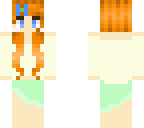
Step 3: Choose the eye color! Reds, blues, hazels oh my! Just take a color, put it on the top pixel of what I have, press the "Lighten color" button and put that under! To add an extra flare to your skin, take the color of your hair, darken it to almost a black, and darkenthe top eye white as well. Step 4: Make the clothing however you want!
ruikamishiro
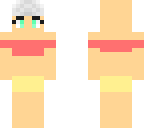
I know this skin looks CRAZY but here are some instructions. Step 1: Choose the skin color you desire. this step is best done FIRST because if you make intricate clothing it'll be hard to change the skin color later on. Step 2: Choose hair color! The way I have it set up is you have your darkest color (Darker than the color you are going for) is shown as WHITE on here, and your lighter color is a darker gray. Basically follow my setup on each side, except the front and top!
Downloading in 10
Advertisement


Give a thumbs up to show support for the creator. It means a lot!
Comments: 2